
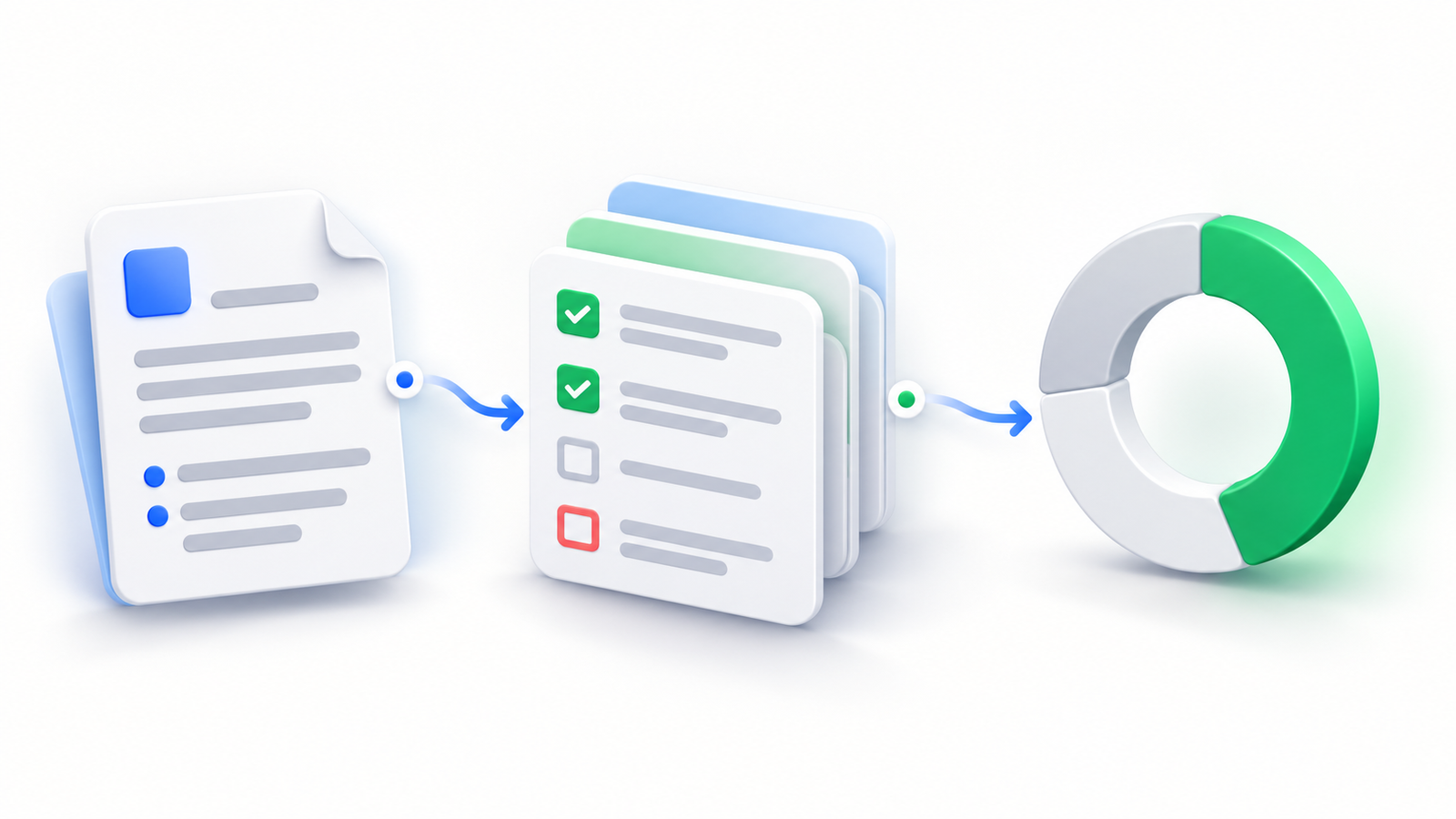
Your team already tracks features, fixes, and releases in monday.com. But when testing lives in another place, a board item rarely tells the whole story. Which scenarios cover this change? What happened during testing? What still needs attention before release?
TestBoard brings test management into monday.com so those questions can be answered alongside the work. It combines reusable test cases, testing cycles, execution evidence, and progress views in an app built and hosted on monday Code.
For QA leads, developers, and product teams, the benefit is a shared view of the change being delivered and the testing that supports it. TestBoard is designed for teams that want structured testing within their existing monday.com workflow.
What TestBoard brings to your team
- Reusable test cases connected to the monday.com items they validate.
- Test cycles with recorded outcomes and screenshot evidence.
- AI-assisted case suggestions that your team reviews before using.
- Core test-management content stored on monday.com infrastructure, with optional external processing explained in the privacy policy.
Understand coverage in the context of the work
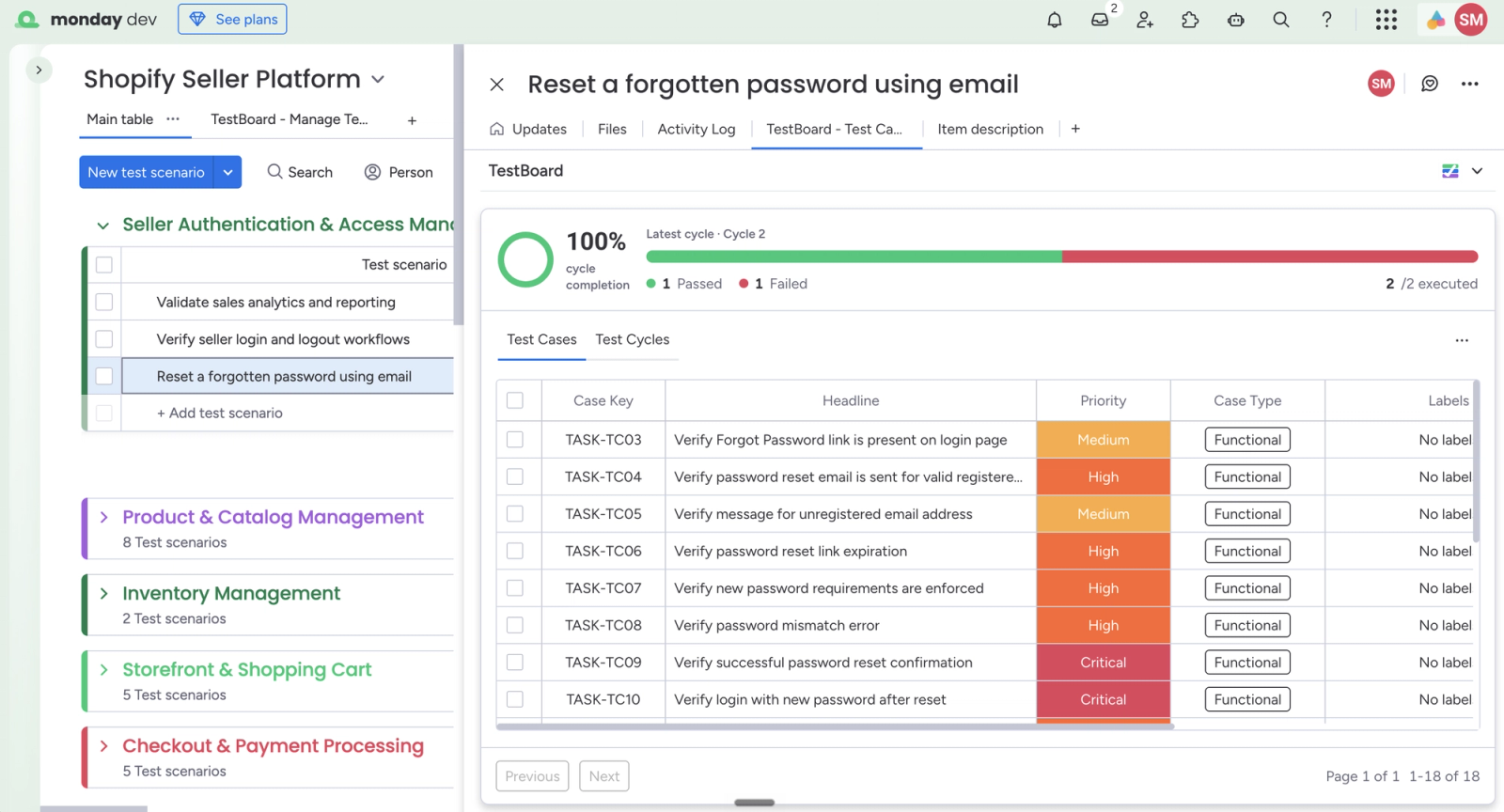
A requirement and its tests should be easy to review together. TestBoard lets teams associate test cases with a monday.com item and see those cases from the item’s TestBoard view. A product owner reviewing a feature can see what the team intends to verify, while QA can keep the requirement in view when assessing coverage.
Each case can capture a headline, priority, case type, description, preconditions, test steps, expected results, and test data. That structure turns a vague reminder such as “check password reset” into a repeatable test that another team member can understand.
For an account-recovery feature, the coverage might include valid reset links, expired links, password rules, and signing in after a reset. The value is the connection between the feature and these separate checks, rather than a single status that hides the detail.
For the usage instructions, see creating your first test case
Bring test cycles, evidence, and progress together
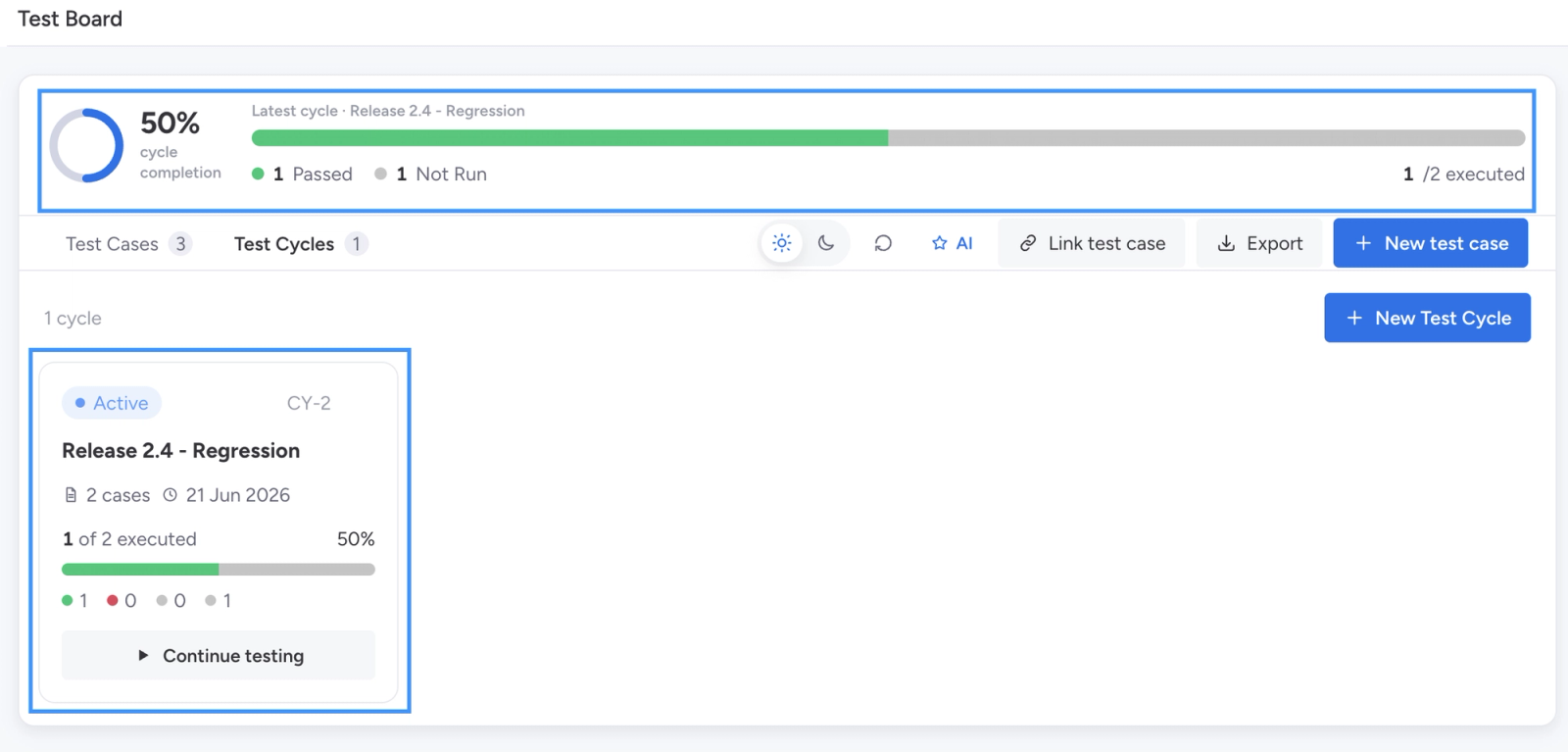
A reusable case explains what to verify. A cycle organizes a particular round of testing. TestBoard supports cycles with a name, platform, environment, dates, and a selected set of cases, giving each testing effort an identifiable scope.
During execution, testers can record actual results and attach screenshots alongside step outcomes. That gives a failed result useful context for the person investigating it. Instead of a status with no explanation, the team can review what happened and the evidence captured during the check.
Progress views bring executed and remaining work into the conversation. A release owner can distinguish a cycle that is still in progress from one whose tests have finished but include failures. Completion is evidence about activity; the team still makes the release decision.
For execution instructions, see creating your first test run
Use AI to prepare coverage, with your team in control
TestBoard can suggest test cases from a monday.com item’s requirements. Your team reviews the generated cases and steps, checks them against the intended behavior, and chooses which suggestions to keep. This is useful when a new feature needs an initial set of checks or an existing requirement needs another coverage review.
The useful outcome is a starting point for test design. Generating a case does not execute the test or establish that the feature works. Human review remains part of the workflow.
For the AI workflow, see generating test cases with AI
Teams can also request assisted setup for TestBoard in ChatGPT to find testing work, create cases, organize sets and cycles, and summarize saved results through a conversation. This optional connection manages test records; it does not interact with your application to perform the test steps. Availability and setup requirements are covered in the documentation.
Learn about access to TestBoard in ChatGPT
Where TestBoard fits into real testing work
Feature validation during a sprint
When a feature is represented by a monday.com item, its related test cases provide a shared reference for QA, developers, and product owners. The team can discuss whether important scenarios are covered without separating that conversation from the feature itself.
Regression checks before a release
A release cycle groups the cases the team intends to check for that release. Reusable cases give the testing effort a consistent starting point, while cycle outcomes and evidence make failures and remaining work easier to review.
User acceptance testing
Clear preconditions, actions, and expected results give participating team members a common description of acceptable behavior. Recorded results support a discussion about whether the feature meets its requirements. TestBoard supports that review without replacing your organization’s sign-off process.
Investigating a fix
A failed check with an actual result and screenshot is more useful than an isolated status. Keeping that evidence connected to the relevant work helps the developer and tester discuss the same scenario when a fix is ready to be checked again.
Built on monday.com infrastructure
Where an app appears and where it stores data are different questions. An app can be visible in monday.com while relying on a separately hosted service. For teams evaluating test-management tools, the hosting and storage model deserves attention alongside the feature list.
TestBoard’s core application is built and hosted on monday Code. It uses monday’s managed database for test-management records and monday object storage for uploaded test evidence. Test records are organized by monday account and board. TestBoard does not operate a separate developer-controlled database for this core app content.
The embedded app uses the monday SDK session token to authenticate requests to its backend. This lets your team use TestBoard within its monday.com session, rather than making a separate testing-service account the center of the workflow. Installation still involves the permissions required by the app.
Permissions and data storage are separate considerations
An OAuth authorization screen tells you that an app is requesting access. It does not, by itself, tell you where the app stores your data. TestBoard’s optional ChatGPT connection also uses OAuth, so the meaningful comparison is the actual workflow, permission scope, hosting, and data processing involved.
For the platform’s explanation, see monday.com OAuth and permissions
The storage statement has a specific scope. Optional AI case generation sends selected, sanitized board and item text to OpenAI for suggestions. Installer communications and operational services are also described in TestBoard’s privacy policy. Core app-content storage on monday infrastructure should not be read as a promise that every optional feature processes all information only within monday.com.
Review the details in TestBoard’s privacy policy
What to compare when choosing a marketplace testing app
The most useful comparison is whether an app fits the way your team plans, tests, and reviews work. If an option connects monday.com to a separate testing service, check what account setup it requires, where records are stored, and where testers actually spend their time. For an embedded app, ask the same storage and permission questions rather than assuming its architecture from its interface.
| What matters to your team | TestBoard’s approach |
|---|---|
| Where will testers work? | Cases and cycles are available within monday.com, including cases associated with individual items. |
| How is the core app hosted? | Built and hosted on monday Code. |
| Where are test records and evidence stored? | Monday-managed database and object storage for core test-management content. |
| How does the embedded app authenticate? | Through monday SDK session tokens verified by the backend; app-install permissions still apply. |
| What context accompanies a result? | Expected and actual results, step outcomes, and screenshot evidence. |
| What do optional AI features involve? | Reviewed case suggestions use OpenAI processing. The optional ChatGPT connection has its own authorization and setup. |
TestBoard’s fit comes from the combination of item-level context, structured cases, cycle execution, evidence, and monday-hosted app storage. For teams that want their testing work close to their delivery work, those are concrete capabilities to evaluate. They are not a claim that every other marketplace app uses external storage or lacks the same features.
Is TestBoard right for your team?
TestBoard is worth considering when monday.com already holds your requirements and delivery work, and your team wants a structured place to manage manual testing without centering that process on a separate testing service. Its case and cycle workflow is relevant to feature validation, regression checks, and acceptance testing.
If your primary requirement is a system that automatically drives browsers, devices, or APIs and performs tests for you, distinguish that requirement from test management. The capabilities described here organize cases and capture execution outcomes; AI-generated cases and conversational access do not turn them into an automated test runner.
The best evaluation is whether your QA and delivery teams can understand coverage, review evidence, and identify the next testing decision using the same work context.
See TestBoard alongside your monday.com work
Bring the requirement, the checks, and the results into one testing conversation. Explore TestBoard’s marketplace listing to see how its capabilities fit your team, and use the documentation when you are ready for installation and usage instructions.